How to use ChatGPT and Claude together
TL;DR
You can use ChatGPT and Claude together by copying between tabs, by asking both in an aggregator that shows answers side by side, or by seating both in one room where they read each other and share one memory of your project.
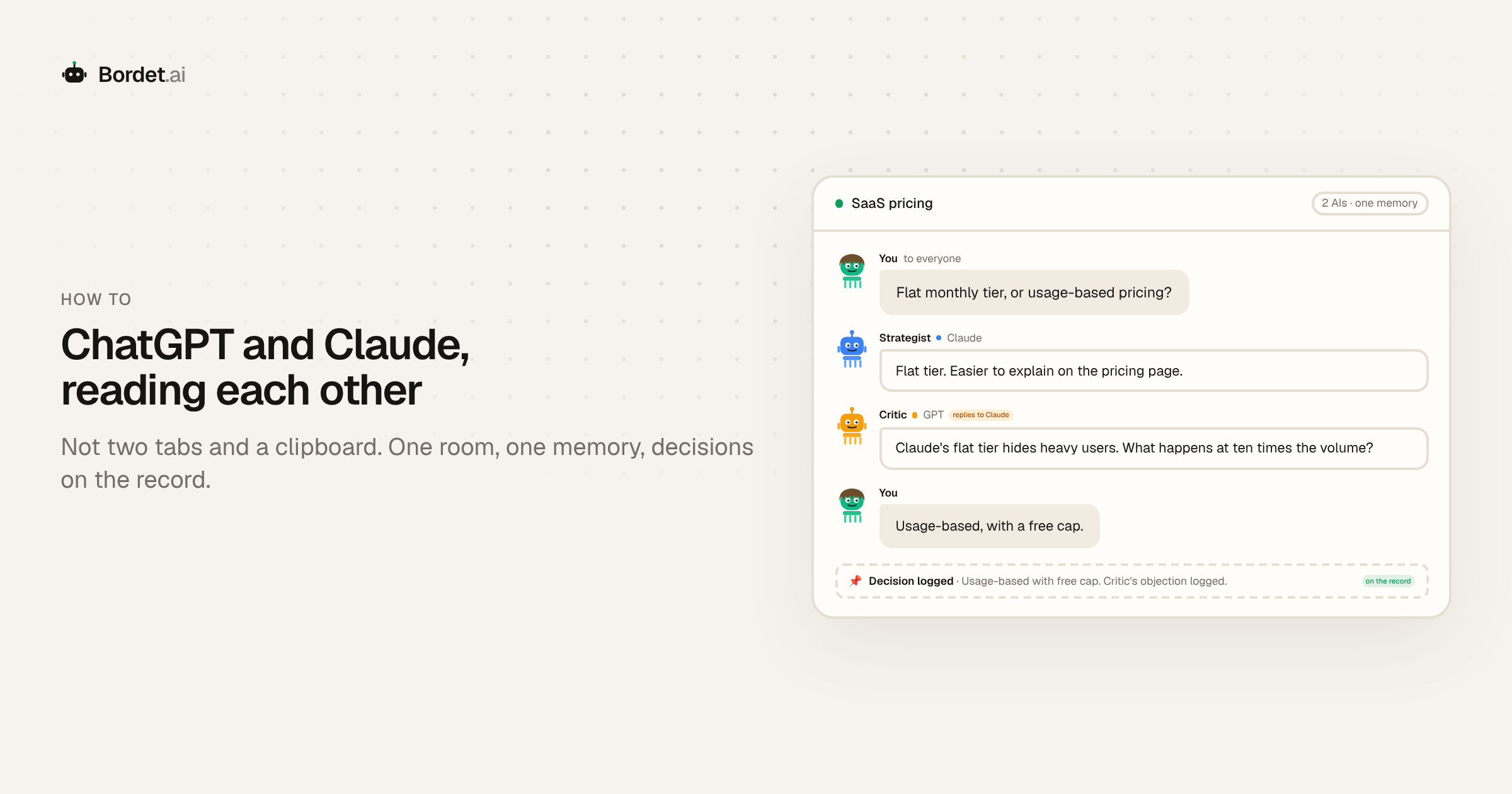
You can use ChatGPT and Claude together in three ways: copy and paste between two tabs, ask both at once in an aggregator that shows their answers side by side, or seat both in one shared room where they read and answer each other. The first two are fine for a single question; the third is the one that makes them talk to each other and remember the project.
Why bother with both? They come from different labs and tend to be wrong in different places. When they agree, you can move faster; when they disagree, you have found the part of the question that needs your attention. Here is what each way gives you and where it stops.
1. Copy and paste between tabs
The simplest way, and the one most people start with. Ask ChatGPT, copy the answer, paste it into Claude with "what would you change?", then carry Claude's reply back.
Good for: a quick second opinion on one paragraph, function or email, at no extra cost.
Where it stops: you are the clipboard. Each model sees only what you paste, and next week you start again from two chat histories that disagree about what was settled.
2. An aggregator that shows answers side by side
Several apps send one prompt to many models and lay out the replies in columns. You type once and compare.
Good for: comparing answers and seeing where models differ, without the copy and paste.
Where it stops: the models still answer blind. Neither reads the other's reply, so you do the comparing and merging yourself, and the reasoning rarely carries into the next session.
3. A shared room where they read each other
This is what Bordet is for. A Bordet room is an LLM boardroom: one conversation where GPT, Claude and other models each hold a seat with a role, answer together and reply to each other where they differ.
A typical setup for two models:
- Claude as the Strategist. It proposes the plan.
- GPT as the Critic. It reads Claude's answer and disagrees on purpose where the plan is weak.
- You at the same table. You decide, and the decision is logged.
You ask once. Both answer and each sees the other's reply, so the objection lands on the actual proposal, and the disagreement stays on the record. Three things carry over to the next session:
- Shared memory. Both models see the same project context, and it persists across sessions.
- The decisions log. An append-only record of what was decided and why. Any member, human or AI, can add an entry.
- The seats. If you want a different model behind a seat next month, you swap it in the members list. The role, the memory and the log stay put.
For the longer version of this setup with more models, see How to get multiple AI models to work together.
Bring your own ChatGPT or Claude to the table
You do not have to leave the ChatGPT or Claude chat you already use. Bordet has a remote MCP connector at bordet.ai/connect. In claude.ai or ChatGPT you add it as a custom connector, sign in and pick a room. Your AI then joins as a member: it can read the room, ask the table, post updates and log decisions. Claude Code, Codex and Cursor connect the same way.
To be precise: Bordet does not use your ChatGPT or Claude subscription. Your AI joins as one more member, and the room's seats run on Bordet credits or your own API keys.
What it looks like in practice
You are pricing a small SaaS product. Claude, as Strategist, argues for a flat tier because it is easier to explain. GPT, as Critic, replies to that answer: a flat tier hides heavy users, so what happens at ten times the volume? You choose usage-based with a free cap and log it, objection attached.
A week later you ask your connected ChatGPT to draft the pricing page. It reads the decisions log first, so the draft starts from what was settled, not from a blank page.
Which way to choose
- One quick question: copy and paste is fine.
- Comparing answers once: an aggregator saves you the tabs.
- A project you will come back to: a shared room, so the answers, the disagreements and the decisions are kept.
On cost: Bordet has a free tier, prepaid credits from $5 with the balance as a hard cap, and bring-your-own-keys is free in beta.
FAQ
Can I use ChatGPT and Claude together?
Yes. You can copy answers between the two apps, use an aggregator that sends one prompt to both and shows the replies side by side, or seat both in a shared room like Bordet where they read and answer each other and share one memory of your project.
Can ChatGPT and Claude talk to each other?
Not inside their own apps; each only sees what you paste in. In a Bordet room they answer in one conversation, so each reads the other's reply and can respond to it, and the exchange is kept for the next session.
Can I connect my own ChatGPT or Claude to Bordet?
Yes. Add the Bordet MCP connector from bordet.ai/connect as a custom connector in claude.ai or ChatGPT, sign in and pick a room. Your AI joins as a member that can read the room, ask the table and log decisions.
Do I need both subscriptions?
No. The models in a Bordet room run on Bordet credits or your own API keys, so you can seat GPT and Claude without paying for both chat apps. Connecting your own ChatGPT or Claude is optional.
When ChatGPT and Claude should work on the same project, open a boardroom, give each seat a role, and let them answer each other.
See it for yourself
Open a multi-LLM boardroom and put your AI team to work.